
Description
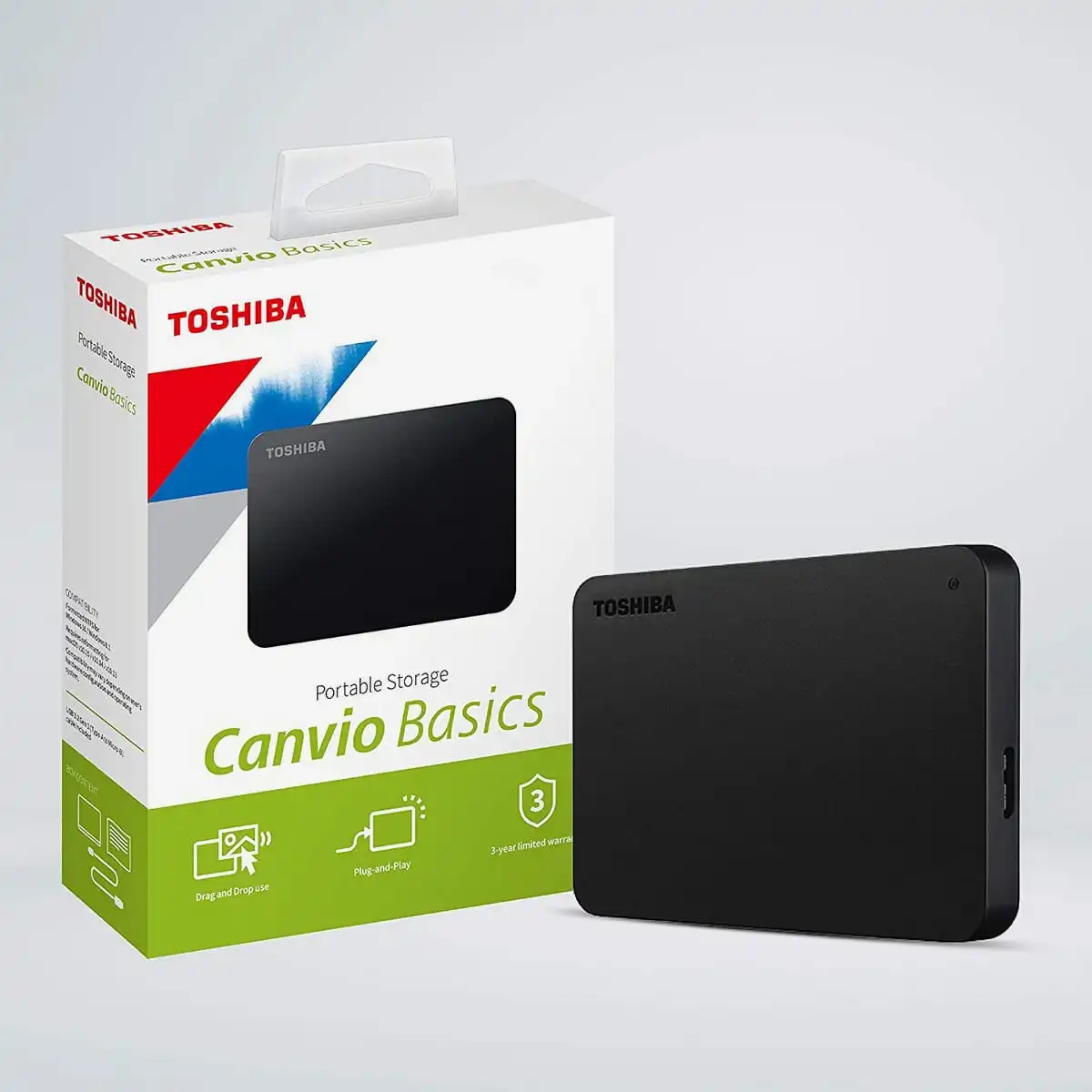
Toshiba Canvio Basics 1TB Portable External HDD
When it comes to external hard drives, the Toshiba Canvio Basics 1TB Portable External HDD stands out as a reliable, compact, and affordable solution for your data storage needs. With a combination of high storage capacity, fast data transfer rates, and a sleek design, this portable HDD is the perfect companion for those looking to back up their files, store large media collections, or carry essential data on the go.
Whether you’re a student, a professional, or someone who just needs extra storage space, the Toshiba Canvio Basics external HDD offers seamless compatibility with Windows and Mac systems. It’s a versatile, no-frills option that delivers the performance and portability you need in a compact form factor. Below, we’ll explore its features in more detail and why it’s an excellent choice for those who need reliable and secure data storage.
Key Features:
-
1TB Storage Capacity: The Toshiba Canvio Basics offers 1TB of storage space, providing plenty of room to store all your important documents, media files, and backups.
-
Portable and Compact Design: With its sleek, black design and lightweight construction (weighing just 240g), this external HDD is easy to carry around, making it ideal for travelers and those always on the move.
-
USB 3.0 Connectivity: Equipped with USB 3.0, this external hard drive ensures fast data transfer speeds, reducing the time it takes to transfer large files.
-
Plug-and-Play Compatibility: The Canvio Basics external hard drive is a plug-and-play device, which means you don’t need to install any software to start using it. Simply connect it to your computer, and you’re ready to go.
-
Cross-Platform Compatibility: Compatible with both Windows and Mac systems, the Toshiba Canvio Basics 1TB is perfect for a variety of users.
-
Energy Efficient: This portable drive is designed to be energy-efficient, minimizing the power consumption while still delivering optimal performance.
Product Description Table
| Feature | Specification |
|---|---|
| Brand | Toshiba |
| Series | Canvio |
| Colour | Black |
| Item Weight | 240 g |
| Package Dimensions | 15.1 x 13 x 4.8 cm |
| Hard Drive Interface | USB 3.0 (backward compatible with USB 2.0 and USB 1.1) |
| Voltage | 240 Volts |
| Hardware Platform | Windows, Mac |
| Included Components | USB 3.0 Cable, Quick Start Guide |
Toshiba Canvio Basics 1TB: Performance You Can Trust
Whether you’re backing up large video files, storing thousands of photos, or securing work documents, the Toshiba Canvio Basics 1TB Portable External HDD ensures your data stays safe and accessible. Here’s a deeper dive into what makes this external HDD a must-have:
High Storage Capacity
At 1TB, this portable hard drive offers ample space to store everything from high-resolution videos and photos to work files, presentations, and more. 1TB is enough to store roughly 250,000 songs or over 500,000 high-resolution photos, making it perfect for both personal and professional use.
Compact Design for Portability
The Toshiba Canvio Basics weighs only 240 grams and is small enough to fit into most laptop bags or even your pocket. Its minimalist design, combined with a black matte finish, gives it a sleek, modern look that’s both professional and practical.
USB 3.0 for Speedy Transfers
With USB 3.0 connectivity, the Toshiba Canvio Basics supports fast read and write speeds that significantly reduce the time required for data transfer. You can quickly back up large files or move data between devices without waiting for extended periods. It’s also backward compatible with USB 2.0, meaning it can still be used with older devices without sacrificing too much speed.
Plug-and-Play Simplicity
Getting started with the Toshiba Canvio Basics 1TB Portable External HDD is a breeze. Thanks to its plug-and-play functionality, there’s no need for complex software installations or configurations. Simply connect the device to your laptop, desktop, or Mac, and you’re ready to start transferring files immediately.
Cross-Platform Compatibility
Another standout feature of the Toshiba Canvio Basics is its cross-platform compatibility. Whether you’re using a Windows PC or a Mac, the Canvio Basics works seamlessly across both platforms. For Mac users, the drive may require reformatting, but it can be easily configured to work on macOS as well.
Energy-Efficient Design
This portable external hard drive is designed to be power-efficient. It is powered directly through the USB connection, eliminating the need for an additional power source. This makes it even more convenient for mobile users or those working in environments where power outlets may be scarce.
Durable and Reliable
The Toshiba Canvio Basics 1TB Portable External HDD is built to withstand everyday use. The compact casing is sturdy enough to protect your data from light bumps and scratches, while the drive itself is engineered to deliver reliable performance for years.
Benefits of Using Toshiba Canvio Basics 1TB Portable External HDD
-
High Capacity: 1TB provides ample storage for your files, documents, and media.
-
Speedy Transfers: USB 3.0 ensures quick file transfers, improving productivity.
-
Simple and Reliable: Plug-and-play functionality with cross-platform compatibility.
-
Compact & Lightweight: Easy to carry and store, perfect for travel.
-
Energy-Efficient: Powered through USB, reducing energy consumption.
Conclusion
The Toshiba Canvio Basics 1TB Portable External HDD is a great choice for anyone looking to expand their storage capacity without breaking the bank. Its fast transfer speeds, high storage capacity, and compact design make it the ideal solution for students, professionals, and anyone in need of additional data storage. Whether you’re backing up important documents or storing a collection of movies, this external hard drive will keep your files secure and easily accessible.


Reviews
There are no reviews yet.